


Betandyou App Download in India: APK for Android & iOS via TestFlight Latest Version July 2026
Available Apps:
Limit reached. Remove one bookmaker to add a new one.
Betandyou distributes its Android app as an APK from the official site, since Google Play does not list betting apps, and its iOS app through Apple’s TestFlight, a route almost no other bookmaker in India uses. This page walks through both installs, lists the verified file details so you can check your download, and covers the errors that stop the app from installing.
Available for Indian users in Jul 16 2026
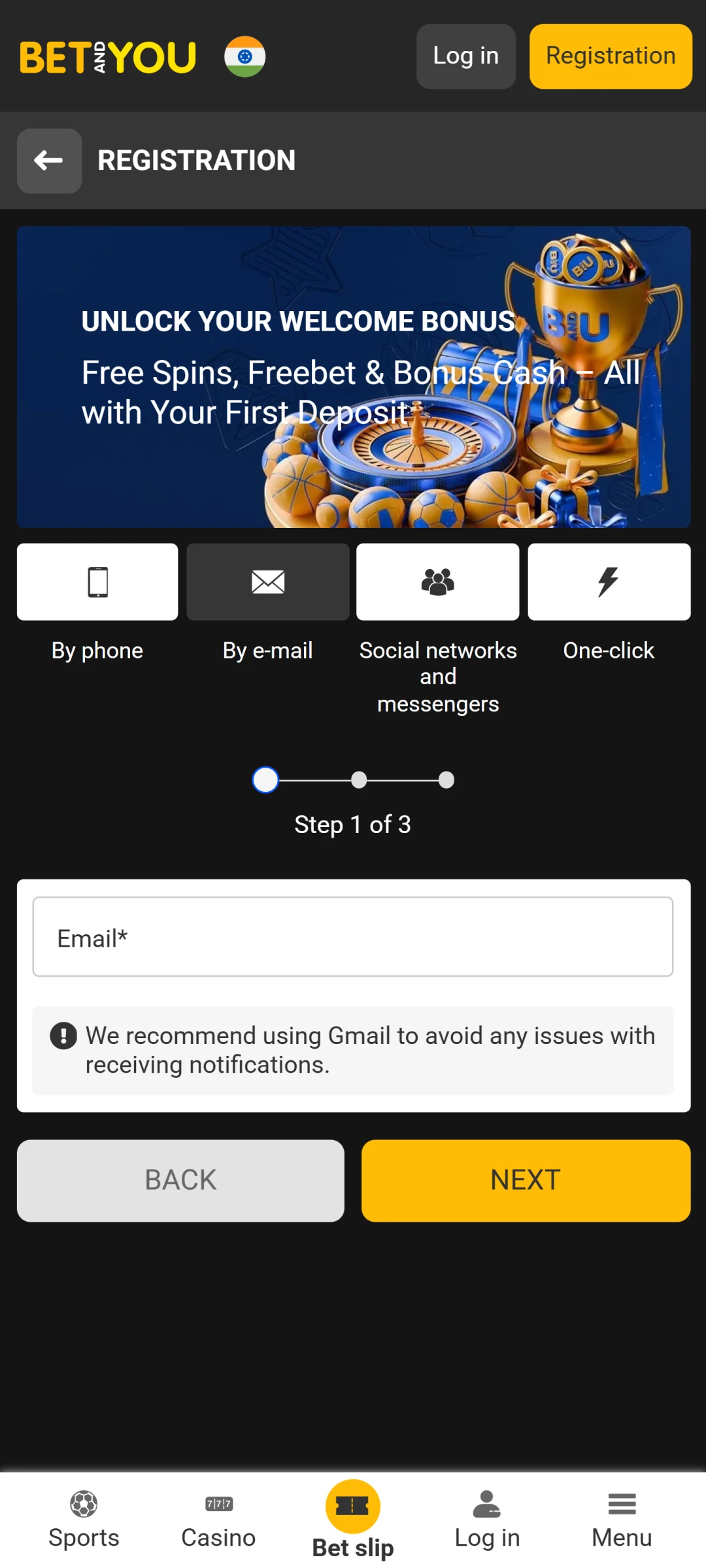
Welcome Bonus
100% up to ₹45 199,47
Developer
Tixi Multimedia B.V.
Last Checked
July 2026
Requires Android
6.0 or higher (10+ recommended)
iOS
Native app via TestFlight, iOS 12.0+
Download Options
APK (Android), TestFlight (iOS)
Price
Free
Licence
Curacao
Min Deposit
From ₹90

Pros
-
Deposits from ₹90, the lowest minimum among the apps we have tested
-
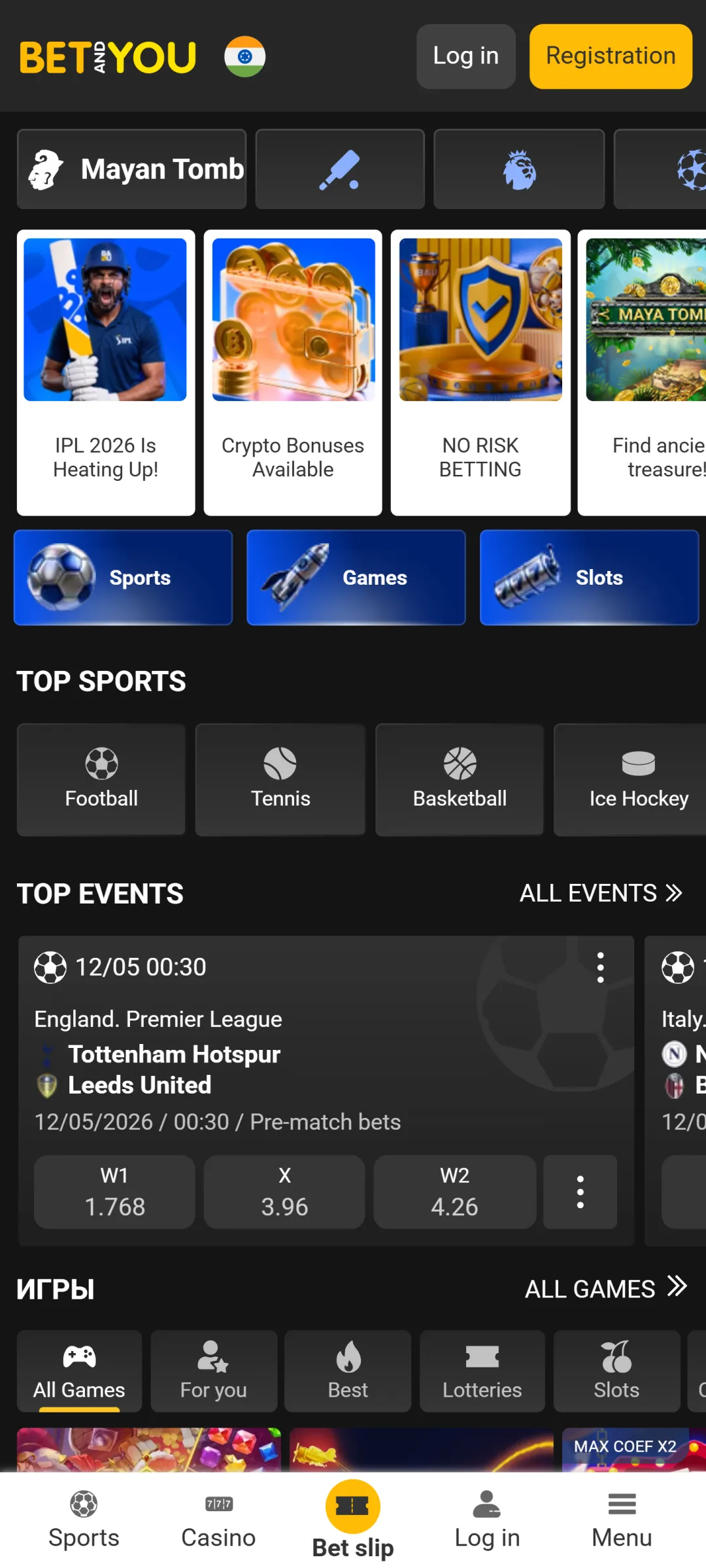
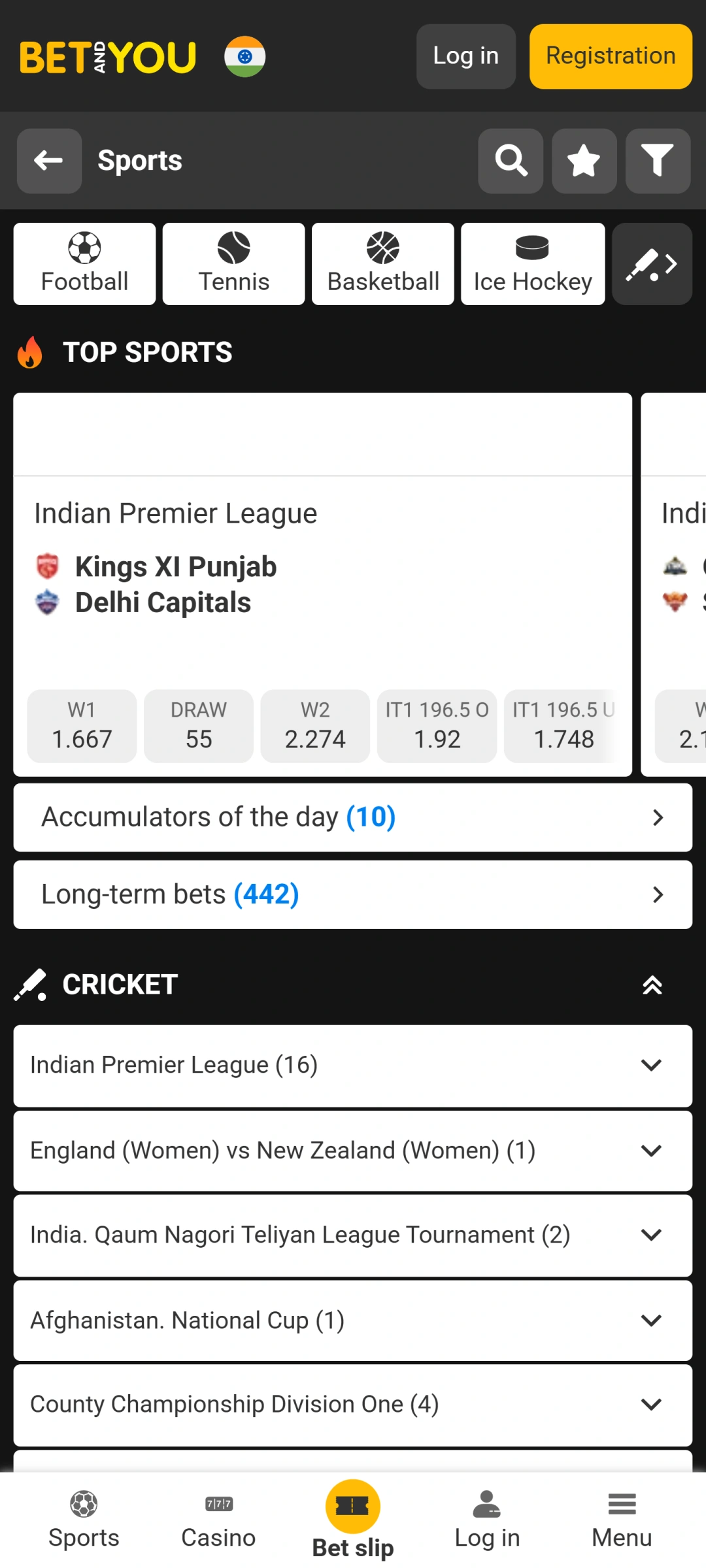
6,600+ pre-match and live events, with football alone at around 1,500 matches
-
Native iOS app through TestFlight, where most rivals offer only a browser shortcut
-
Deep settings: European or Asian layout, odds formats, market views, accessibility mode
-
Crypto deposits from roughly ₹87 via BinancePay
-
Bets can be placed straight from Telegram
Cons
-
No PhonePe, Google Pay or Paytm wallet: UPI carries all local payments
-
Bonus terms lean on accumulator wagering and read like legal documents
-
Converted limits produce odd numbers (deposits like ₹1,017) that confuse budgeting
-
KYC is mandatory before the first withdrawal and can take days
-
TestFlight installation on iOS takes more steps than a normal App Store download
Android System Requirements
The Betandyou APK is undemanding by modern standards. It installs on phones going back to Android 6.0, though everything from menus to live streaming runs smoother on Android 10 and newer:
| Requirement | Minimum |
|---|---|
| OS Version | Android 6.0 (10+ recommended) |
| RAM | 2 GB |
| Free Storage | 100 MB |
| Internet | Stable 3G or better |
We verified the app on the Samsung Galaxy S21, Galaxy Note 20, OnePlus 9 and Redmi Note 10. On phones from 2018 and earlier, such as the Galaxy S9 and OnePlus 5T, betting works fine, with occasional stutter in live streaming.
Step-by-Step: Betandyou for Android
Here is an instruction on how to download the BetandYou app on Android:
1
Visit the Official Website
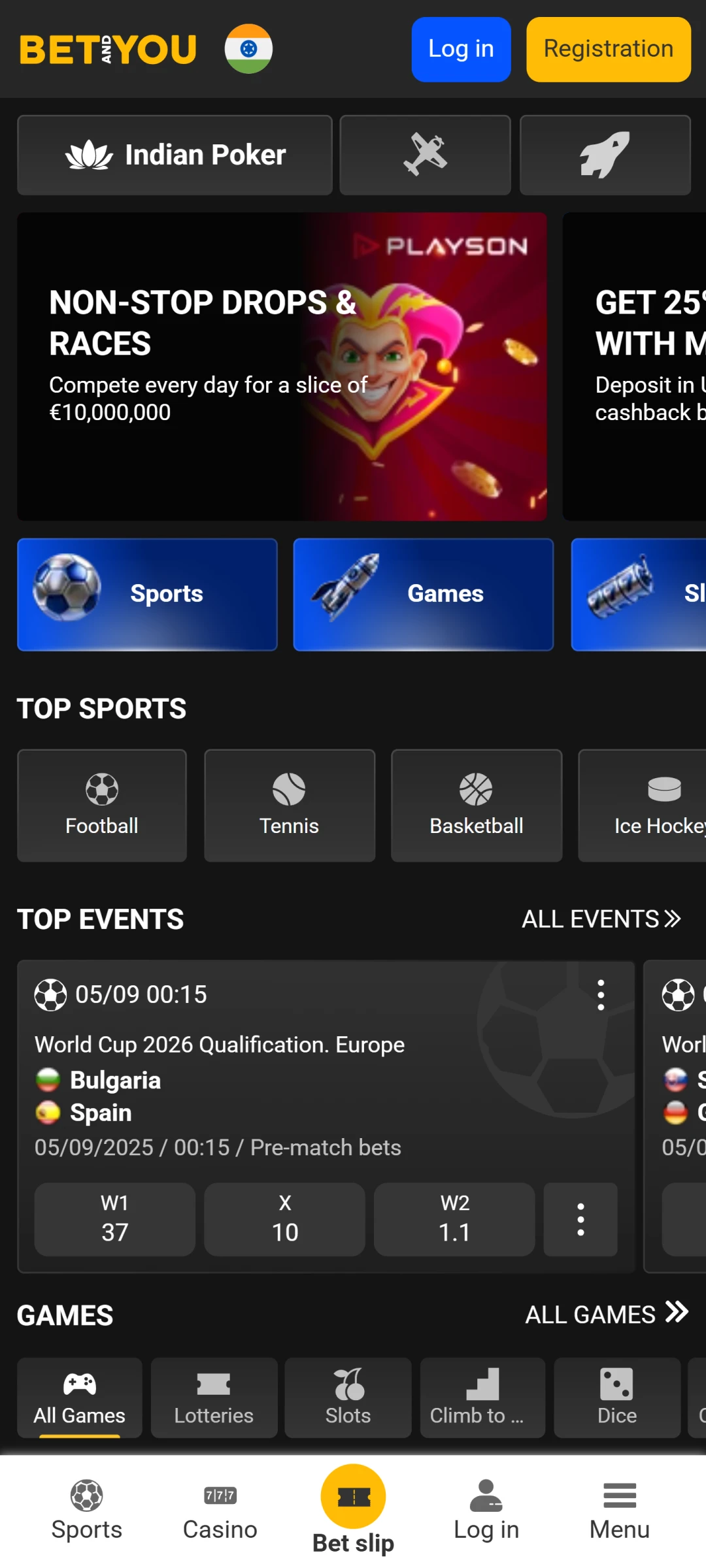
Visit the official Betandyou website and scroll down to the app section at the bottom of the page.
2
Select Android Version
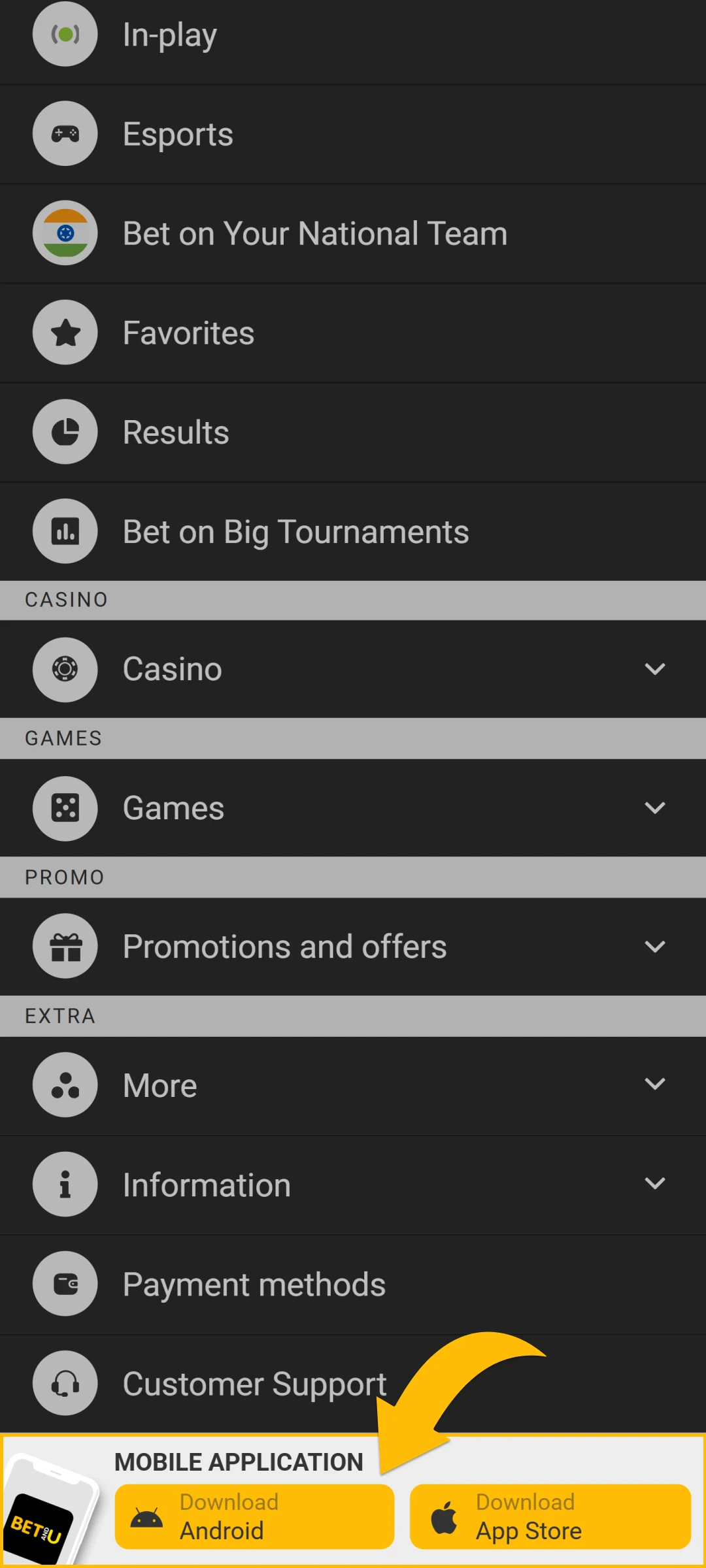
Select the Android option to start downloading the APK file to your device.
3
Enable Unknown Sources
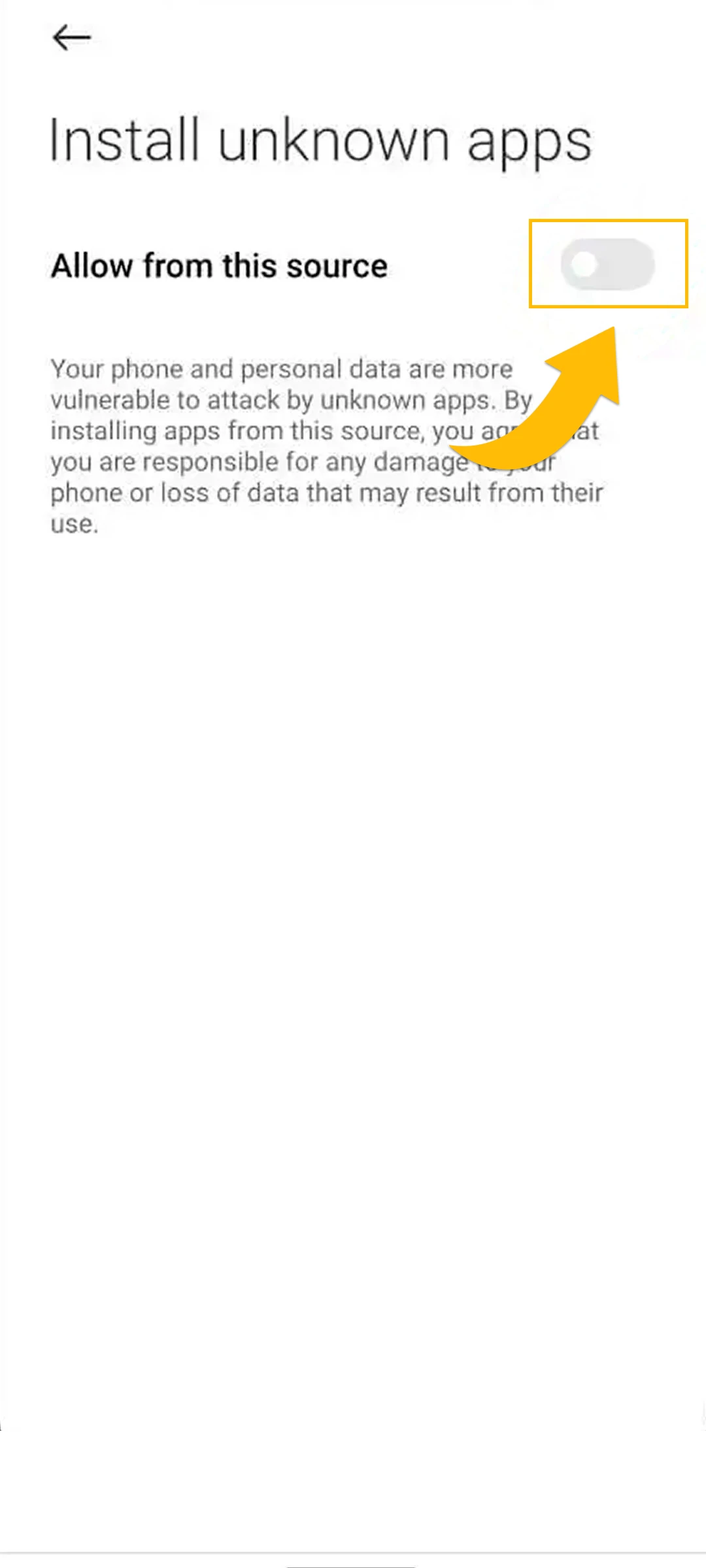
Open your phone’s settings and find the option to allow installation from unknown sources; enable it.
4
Locate the APK File
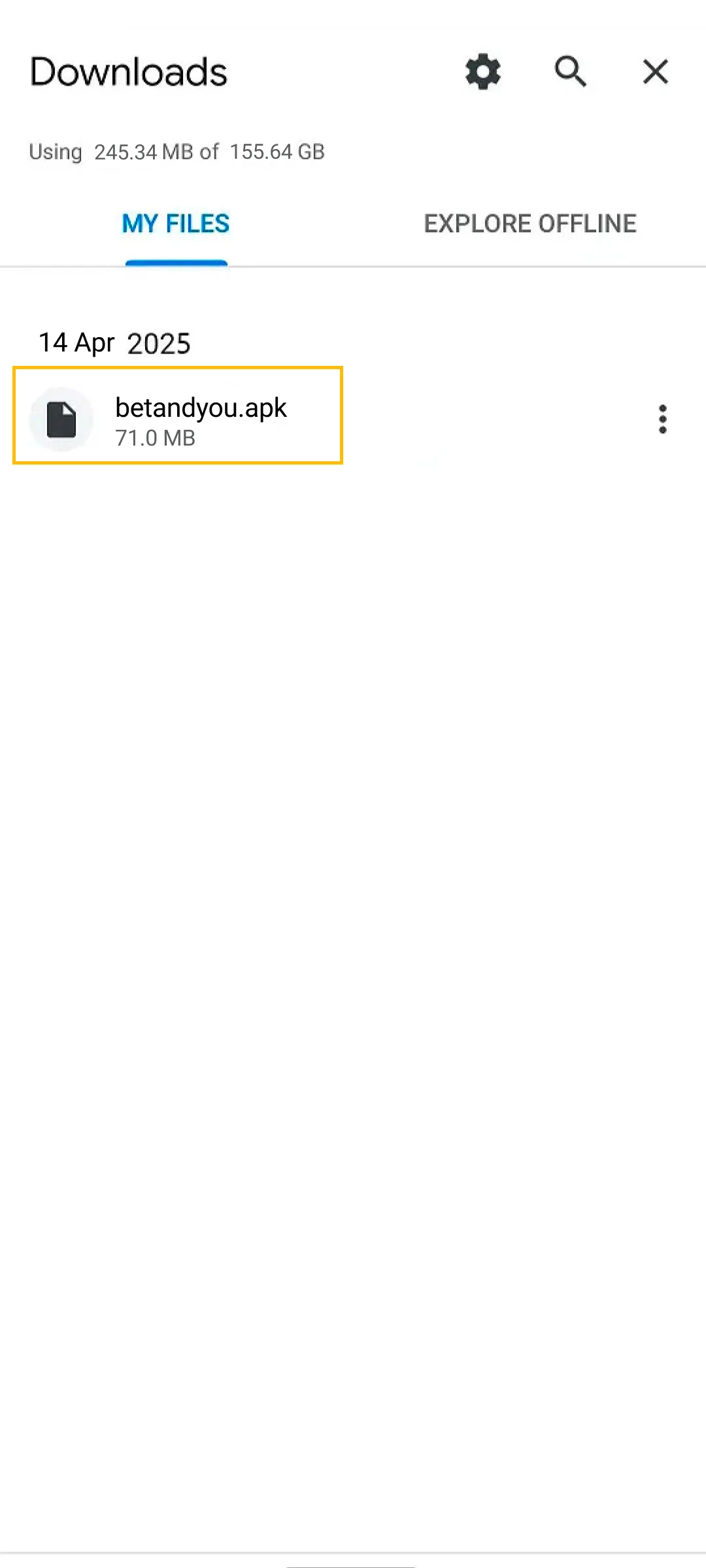
Locate the downloaded APK file in your phone’s file manager or downloads folder.
5
Install the App
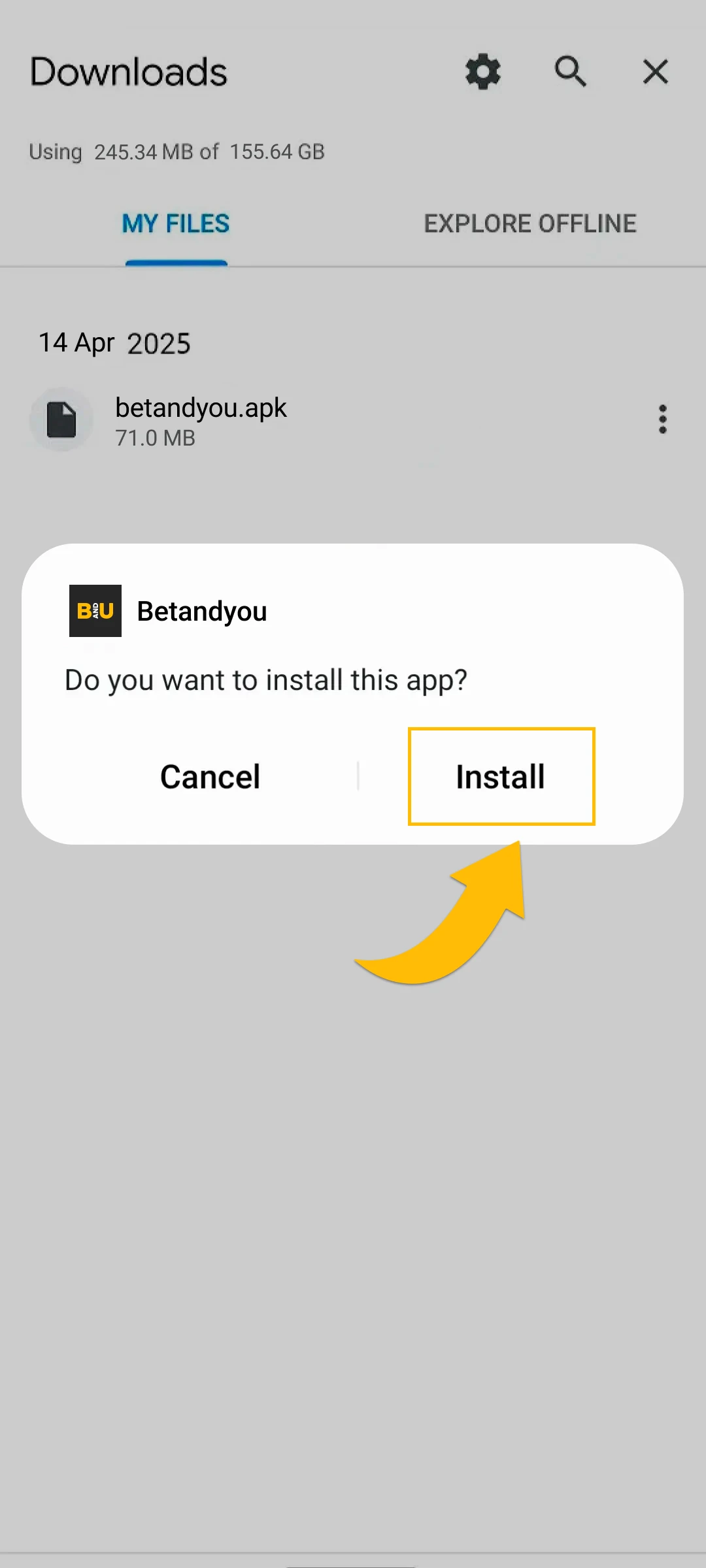
Tap the APK file and choose “Install” to begin the installation.
6
Launch the App
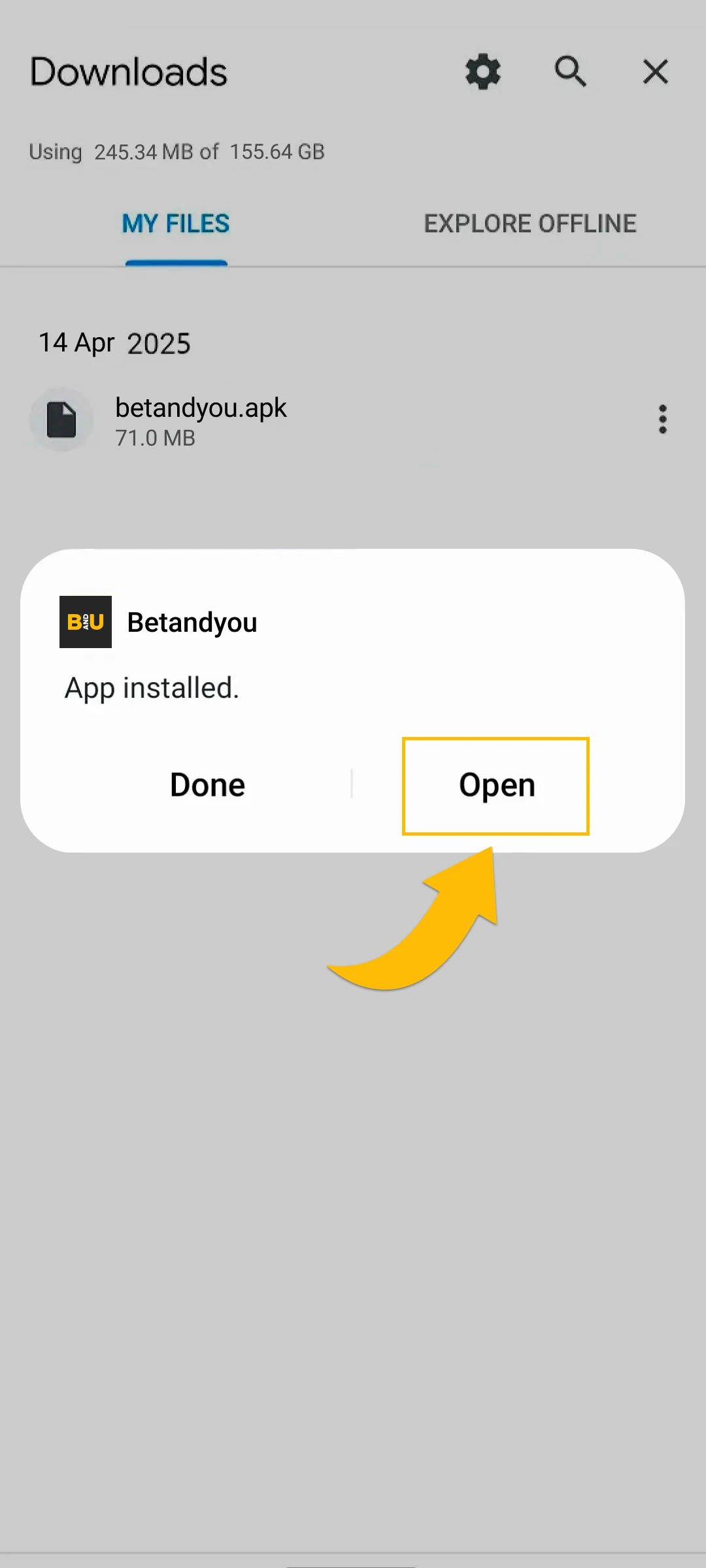
Wait for the installation to finish, then open the app to start using it.
Step-by-Step: Betandyou for iOS
Betandyou skips the App Store and ships its iOS app through TestFlight, Apple’s official platform for distributing apps outside the store. It is a legitimate Apple service rather than a workaround: you install TestFlight once, and Betandyou arrives and updates through it. The whole process takes about three minutes:
1
Open the App Store

Open the App Store on your iPhone or iPad.
2
Download TestFlight

Find and download the TestFlight app.
3
Open TestFlight

When it finishes installing, open TestFlight.
4
Tap Continue

Tap “Continue” and choose if you want notifications.
5
Install BETANDYOU
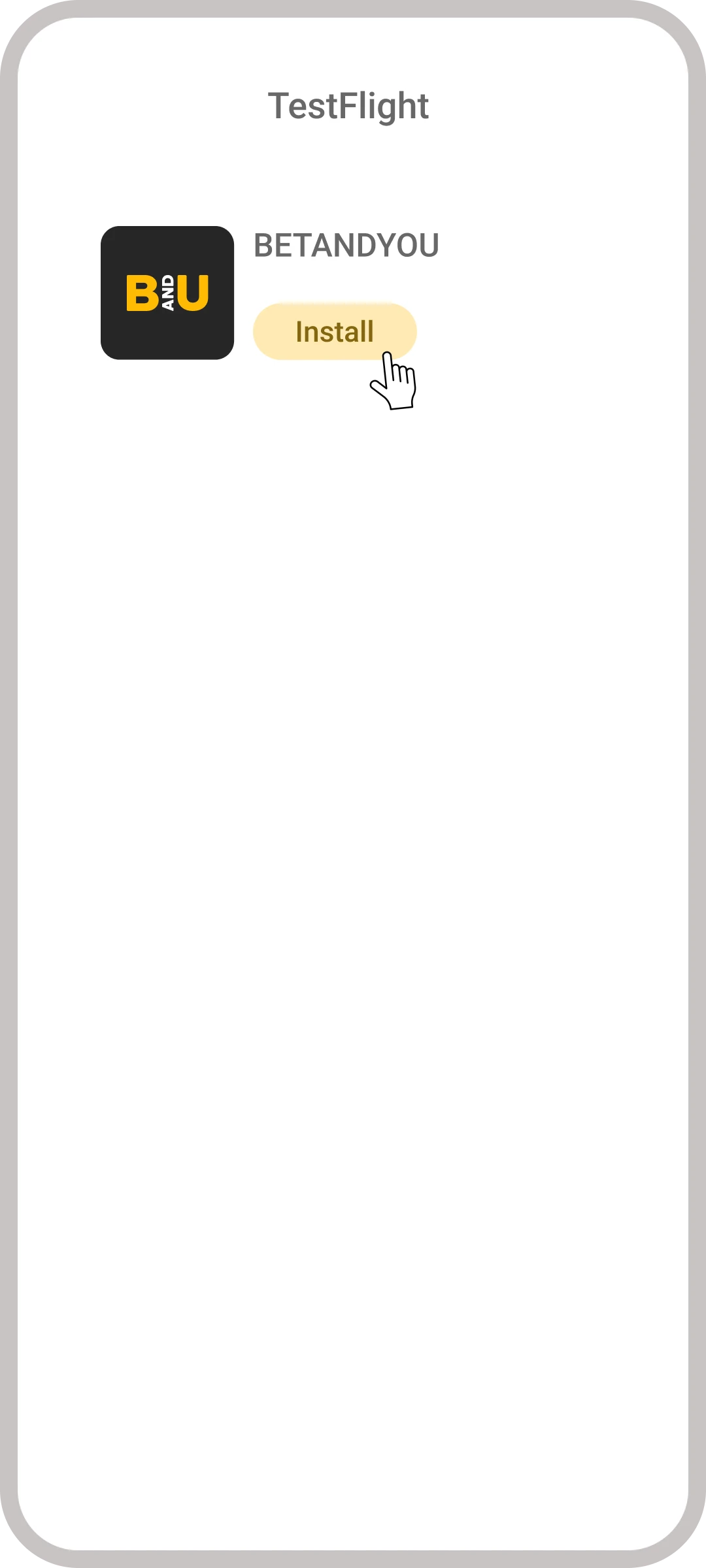
In the list, select the BETANDYOU app and install it.
6
Wait for Installation
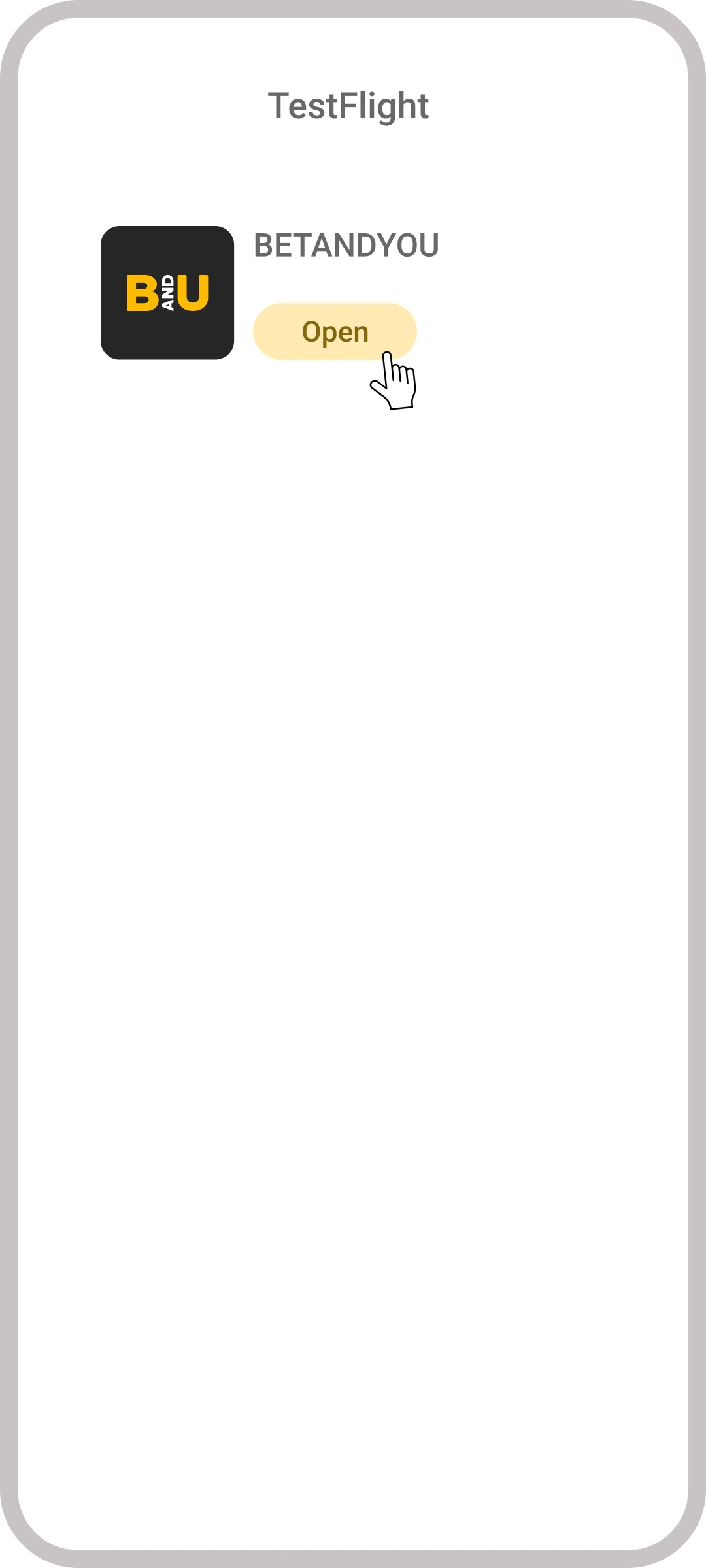
Wait for the installation to complete, then open the app.
7
Open the App
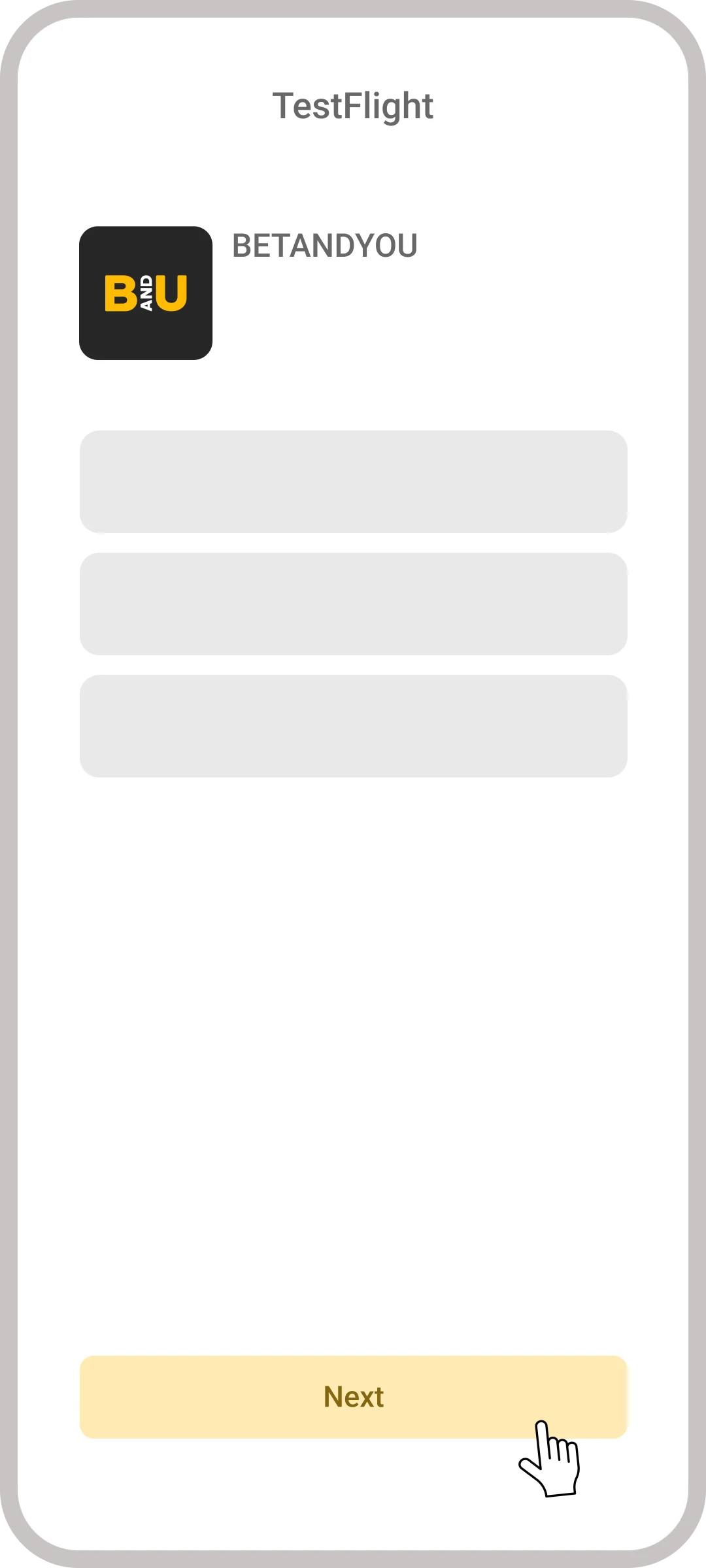
Tap “Next” and decide about notifications.
8
Start Testing
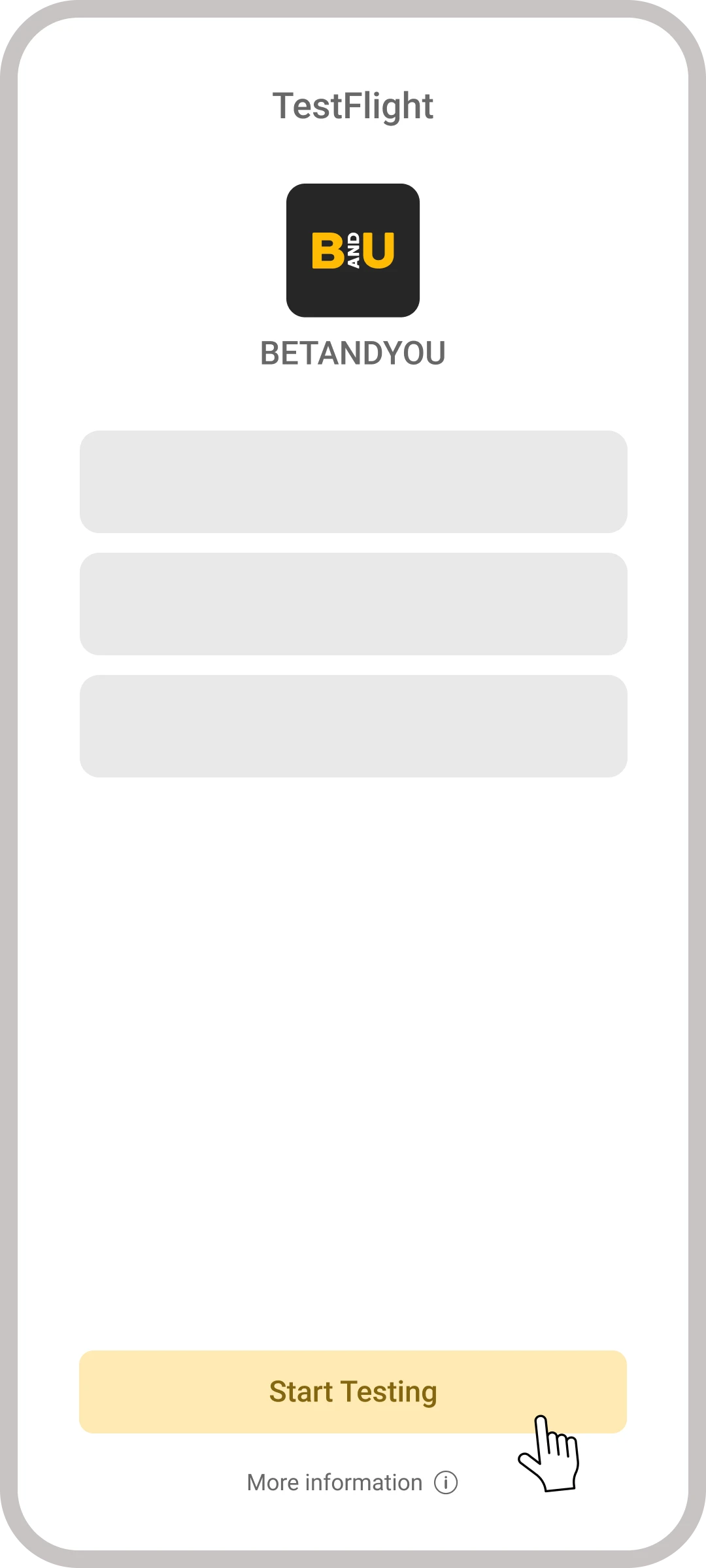
Tap “Next”, set notification preferences, and press “Start Testing” to begin using the app.
iOS requirements: iPhone X or newer (iPhone 6 and older are not supported), iPad Air 3rd generation and newer, iOS 12.0 or higher, about 100 MB of free space, and a stable connection.
How to Check Your Betandyou APK Is Genuine
Modified Betandyou APKs circulate through Telegram channels, mirror sites and “unlocked bonus” pages, and a tampered betting app is the fastest way to lose an account. Three checks separate a genuine installer from a fake:
- Check the source, not the file name. The only safe place to get the APK is the button on the official Betandyou website. A file named betandyou.apk from a Telegram channel proves nothing: names are free to fake, signatures are not.
- Let Play Protect scan it. When you install, Google Play Protect scans the file automatically. A generic warning that the app is “from an unknown developer” is normal for any betting APK outside the Play Store. A red alert calling the file harmful is not: stop and delete it.
- Compare the app after install. The genuine app opens straight to the sportsbook and never asks for your bank card PIN, SMS access or device admin rights. A fake usually reveals itself at the first screen by demanding permissions a bookmaker has no use for.
- On iPhone this whole section is unnecessary: TestFlight only distributes builds signed by the developer and reviewed by Apple, so a fake cannot reach you through it. That is a quiet security bonus of the TestFlight route.
Betandyou App Won’t Install or Update? Common Fixes
Android problems usually come down to security settings or a bad download. iOS problems are TestFlight-specific. Find your case below.
Android: Fixing APK Install Errors
| Problem | Why it happens | Fix |
|---|---|---|
| “App not installed” | Installs from unknown sources are blocked | Settings → Security → allow installs from your browser |
| Install fails midway | The download was interrupted and the file is corrupted | Delete the APK from Downloads, re-download on stable Wi-Fi |
| “Insufficient storage” | Less than ~100 MB free | Clear space and retry |
| Play Protect warning | Google flags any betting APK from outside the Play Store | Tap More details → Install anyway. Normal for the official file |
| Crashes after an update | Old cache conflicts with the new version | Settings → Apps → Betandyou → Clear cache, then reopen |
iOS: Fixing TestFlight Issues
| Problem | Why it happens | Fix |
|---|---|---|
| Betandyou doesn’t appear in TestFlight | The app opens through an invite link, not TestFlight search | Start from the button on the official Betandyou site, it opens TestFlight with the app ready to install |
| “This beta is full” | TestFlight caps each build at 10,000 testers | Wait for a slot to free up or check the site for a fresh invite link |
| “This beta has expired” | TestFlight builds live for 90 days | Open TestFlight and update to the current build, or reinstall from the site link |
| App won’t update | An expired build blocks auto-update | Delete the app, keep TestFlight, reinstall from the invite link. Your account is untouched |
How to Update Betandyou
On Android, accept the in-app update prompt, or install a fresh APK from the official site over the old version: login, balance and bet history stay. On iPhone, TestFlight updates the app automatically, or shows an Update button next to Betandyou when a new build is ready.
Betandyou App vs Mobile Site: Which to Use
| App (APK / TestFlight) | Mobile Site | |
|---|---|---|
| Speed | Faster, data cached on device | Depends on connection |
| Blocked domains | Keeps working when the main site is blocked | Needs a fresh mirror link |
| Notifications | Push for bets, results and promos | None |
| Biometric login | Yes | No |
| Storage | ~100 MB | None |
| Updates | In-app prompt / automatic via TestFlight | Always current |
The app wins for anyone betting more than occasionally: it survives the domain blocks that regularly hit betting sites in India, and biometric login beats typing a password on a phone keyboard. The mobile site remains the fallback for old devices and one-off sessions.
How Betandyou App Updates Work
The two platforms update differently, and knowing the difference saves confusion later. On Android, Betandyou checks for a new version at launch and offers to update in one tap; if you skip a few versions, the app keeps working, and the freshest APK is always waiting on the official site. On iPhone, updates run through TestFlight: new builds install automatically by default, and the only thing to remember is TestFlight’s 90-day rule. Every build expires three months after release, so if the app suddenly refuses to open with an “expired” message, that is not a ban or a bug: open TestFlight, tap Update, and you are back in. We re-check the current installer on real devices with each major update, and the Last Checked date in the card above reflects our latest verification.
Betandyou Unique Features
Betandyou stands out because it lets users access payment options quickly, with just a few clicks. This makes depositing and withdrawing money easier compared to many other betting apps. In the Indian market, this feature is invaluable, so we gave it an extra point in the ‘Bonuses and Promotions’ rating. Few other apps provide such fast and clear payment access, which adds absolute convenience for players.
Our Conclusion on BetAndYou Mobile App
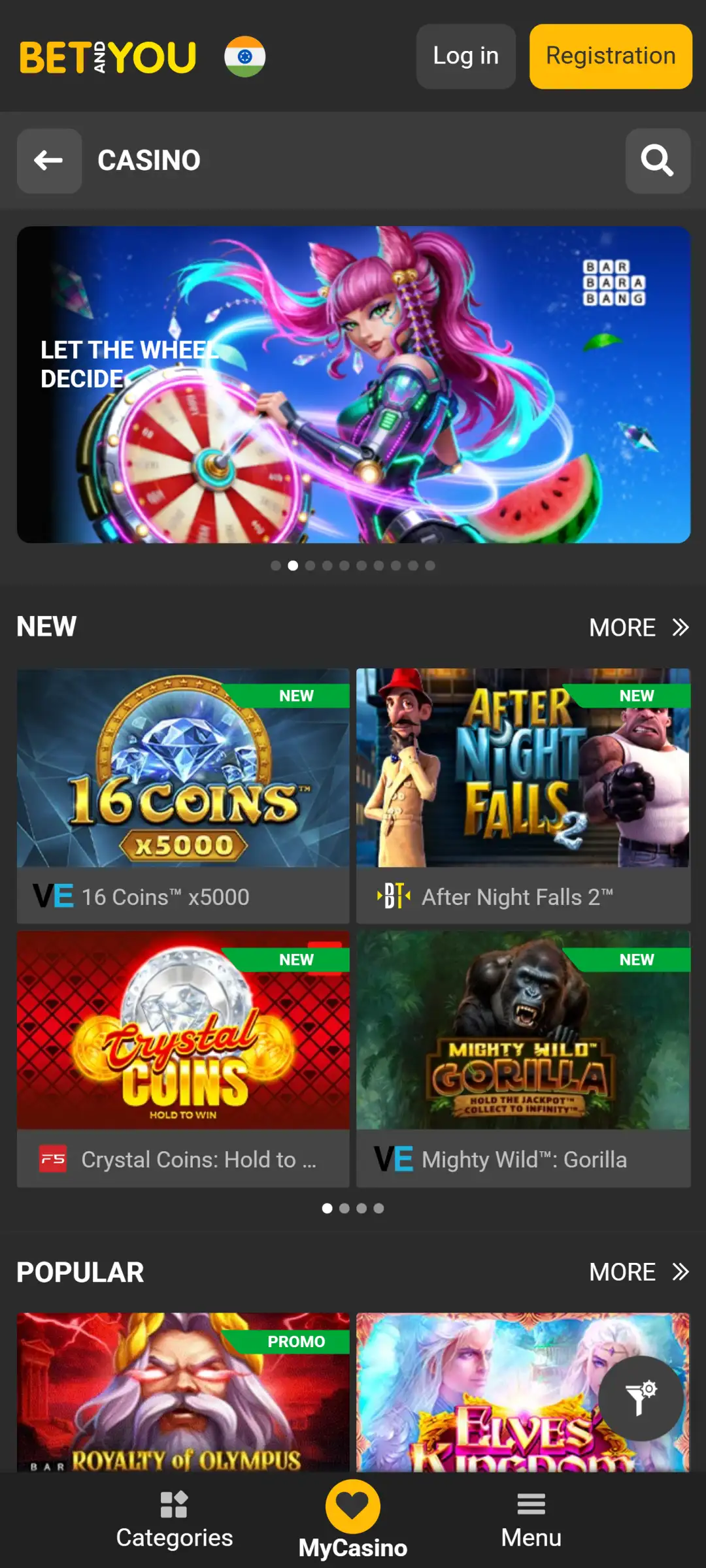
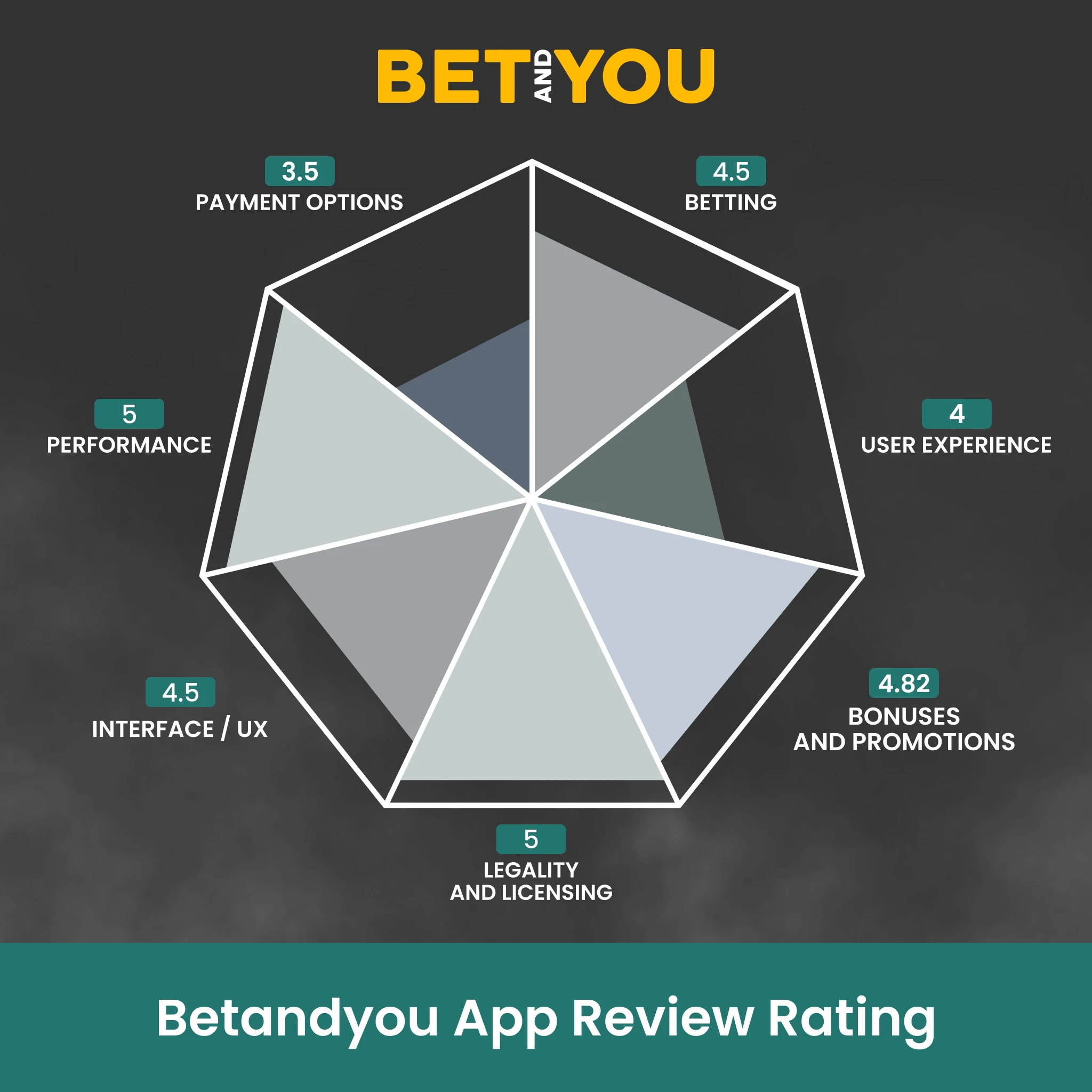
Betandyou is strong in legal status, app performance, and betting options, so it works well for many users in India. The app is easy to use, and payments can be done quickly, which helps players who want convenience. The range of payment methods is limited, and some might find the design a little busy. Bonuses are good, with special features that add value. Betandyou fits people who want a reliable app with many betting choices, but it may not suit those who wish to have more payment options or a more straightforward layout.
Rating = Legality and Licensing (5*15%) + Performance (5*15%) + Interface and UX (4,5*15%) + Betting (4,5*20%) + Payment Options (3,5*15%) + Bonuses and Promotions ((4,82+1)*15%) + User Experience (4*5%) = 4,7
*red “1” – We add a special point to highlight a unique feature on the website, which we describe in the ‘Unique’ section.
| Rating | Description |
|---|---|
| 4.5–5.0 | ⭐️⭐️⭐️⭐️⭐️ Excellent, no serious drawbacks |
| 4.0–4.4 | ⭐️⭐️⭐️⭐️ Good, suitable for most people |
| 3.0–3.9 | ⭐️⭐️⭐️ Acceptable, but with flaws |
| 2.0–2.9 | ⭐️⭐️ Below average |
| 1.0–1.9 | ⭐️ A very weak application |
The final score is 4.7, which means it is rated as “Excellent, no serious drawbacks.”
FAQ
Is the Betandyou APK Safe to Install?
Yes, when it comes from the official site. Run through the three checks in the genuineness section above: official source, a clean Play Protect scan, and no strange permission requests after install. Files from mirror sites and Telegram “mod” builds are the real risk.
Is Installing Betandyou Through TestFlight Safe?
Yes. TestFlight is Apple’s own distribution platform, and every build on it is signed by the developer and reviewed by Apple. In practice it is as safe as the App Store itself.
Why Won’t the Betandyou App Install on My Phone?
On Android: blocked unknown sources, a corrupted download or low storage, each covered in the fixes table above. On iPhone: an expired or full TestFlight build, also covered above.
How Do I Update the Betandyou App?
Android: accept the in-app prompt or install a fresh APK over the old version, your account stays intact. iPhone: TestFlight handles updates automatically.
Does the Betandyou App Work Without Google Play or the App Store?
Yes, by design. Google Play does not list real-money betting apps, so Android users install the APK directly from the official site. On iOS, Betandyou ships through TestFlight instead of the App Store. Both routes are official and free.
Post author
Updated:
Comments